

How To Accept Credit Card, Mobile Wallet, and Contactless Payments
- 6 min. Read
- Last Updated: 12/16/2025


Table of Contents
Is cash becoming obsolete? With payment technology advancing and digital options gaining traction, consumers now favor mobile wallets, contactless payments, and cards over cash. According to 2024 Federal Reserve data, cash accounted for only 14% of all consumer payments, while credit cards made up 35% and debit cards 30%. As cash use declines, businesses are adapting to meet customer expectations for faster, safer checkout experiences.
If your customers are asking for new payment options, upgrading to contactless and mobile solutions can help boost sales, improve cash flow, and reduce fraud risk.
The Evolution of Payment Types for Businesses
Payment habits have shifted dramatically. Cash and paper checks once dominated, and writing a check at the grocery store or using a carbon-copy charge card was routine. Today, those moments feel like snapshots from another era.
Credit and debit cards pushed the first big wave of change. Magnetic stripe cards gave way to Europay, Mastercard, and Visa (EMV) chip cards, which improved security and made counterfeit fraud harder. The rise of digital commerce introduced another shift, as customers started using online payment systems to shop on websites and mobile apps.
The most recent jump came from mobile wallets and contactless cards. Customers now tap their phones, watches, or chip cards to complete transactions in seconds. These payment types offer speed, security, and convenience, and they continue to replace older methods that slow down checkout lines.
Keeping up with payment technology helps reduce friction for customers, speed up funding, and strengthen fraud protection.
Ways for Your Business To Accept Credit Card Payments
Accepting credit card payments gives your business more flexibility, whether customers shop in person, online, or on the go. When you accept credit cards, you make it easier for customers to buy and strengthen your ability to collect payments across multiple channels. Businesses can offer several options for customers who want to use a card or mobile wallet:
- In-Store Credit Card Payments: Customers pay by swiping, inserting a chip, or using tap-to-pay with a card or mobile wallet.
- Online Credit Card Purchases: Shoppers enter card details on a secure checkout page. This option works well for retail, services, subscriptions, and invoicing.
- Credit Card Payments by Phone: Customers provide card info by phone; commonly used for deposits, invoices, or urgent service calls.
- Mobile Credit Card Payments: Employees accept cards via a reader or app on a smartphone/tablet — especially beneficial for contractors, vendors, and food trucks.
- Recurring or Automated Card Payments: Store customer authorization to automatically charge cards for memberships, subscriptions, or monthly invoices.
- Pay-By-Link Credit Card Payments: Send a secure payment link via email or text for quick invoicing or after-hours payments.
- Virtual Terminals: Enter card details manually through a browser-based tool for remote transactions without a physical reader.
How To Accept Credit Card Payments for Your Small Business
If you plan to accept credit cards, choosing the right setup depends on your business type, transaction volume, and customer expectations. For many small businesses, a POS system with tap-to-pay capability delivers the widest range of payment options without adding complexity.
Here’s how to get started:
1. Choose a Payment Processor
Your payment processor determines how you run transactions and what you pay in fees. Start by reviewing how many credit card payments you expect each month.
- Payment Service Providers: This option works well for businesses with a lighter transaction volume. Providers charge a flat percentage per sale and group many small businesses under one shared merchant account. You get quick setup and simple pricing, but customer support may feel limited.
- Merchant Services Providers: Businesses with higher credit card volume often choose a merchant services provider. You open your own merchant account, gain access to more payment tools, and receive dedicated support. Fees vary based on your processing volume and the services you need, including risk management and support for chip cards, online payments, and recurring billing.
Before you sign, review the contract carefully and compare several offers.
2. Select Your Credit Card Payment Terminal
Once you choose a processor, pick the equipment that fits your checkout needs.
- In-Person Terminals or Point of Sale (POS) Systems: These systems let customers swipe, insert, or tap their card or mobile wallet.
- Mobile Card Readers: Ideal for contractors, service providers, mobile vendors, and anyone who collects payments outside a traditional storefront.
3. Set Up Online and Phone Payment Capability
If you want to accept payments when a card is not physically present:
- Online Payment Gateway: Your processor can enable secure online checkout for e-commerce, invoices, or service payments.
- Virtual Terminal or Phone-Based Processing: Software allows you to enter card information provided over the phone and process the payment through your system.
4. Compare Fees, Terms, and Support
Every provider structures fees differently. Review your options, look at long-term costs, and confirm that the contract aligns with how you operate your business.
What Are Mobile Payments?
As customers shift from physical cards to digital wallets, mobile payments have become an essential step for businesses that want to keep checkout fast and stay competitive. Mobile payments let customers use their phones, watches, or other smart devices to pay instead of pulling out a card. The customer taps their device near your POS terminal, and the system processes the transaction through secure, short-range wireless technology.
Most people use a mobile wallet like Apple Pay, Google Pay, or Samsung Wallet. These apps store encrypted versions of their cards and create a one-time code for every purchase, which keeps the actual card number out of the transaction and lowers fraud risk.
Mobile payments match the way customers shop today. They keep checkout fast, support tap-to-pay, and give people an easy way to pay whether they shop in-store, online, or on the go.
How To Take Mobile Payments
You can take mobile payments once your POS system supports near field communication (NFC). NFC allows your terminal to communicate with a customer’s phone or smartwatch at close range.
Customers pay through a digital wallet by unlocking their device, holding it near your NFC-enabled terminal, and the encrypted payment information is transferred instantly for a contactless transaction.
Mobile payments work anywhere — storefront, pop-up, or on the go — as long as your POS accepts tap-to-pay.
What Is Contactless Payment?
Contactless payment lets customers pay without swiping a card, entering a PIN, or signing a receipt. These transactions use radio frequency identification (RFID) and near field communication (NFC) to send encrypted payment information from the customer’s card or device to your payment terminal.
Customers simply hold their card or phone near the reader for instant payment. Most new cards and wallets like Apple Pay support this.
Each transaction uses a unique authentication code, reducing fraud and making tap-to-pay a standard expectation.
What Is Tap-To-Pay?
Tap-to-pay is the most common contactless method. Customers tap or hold their card or mobile wallet near your NFC terminal for a fast, secure transaction.
Contactless cards use a chip and antenna; mobile wallets add extra security like tokenization and biometrics.
Tap-to-pay offers:
- Speed: The payment goes through almost instantly.
- Security: The card number stays protected through encryption and tokenization.
- Ease: Customers simply tap their card, phone, or smartwatch instead of inserting a chip or entering a PIN.
As more customers choose tap-first behavior, this option has become a standard part of modern checkout.
How Does Contactless Payment Work?
Contactless payments use NFC and RFID to send encrypted data from the card or device to your POS.
When a customer checks out, your POS shows the available options: tap, swipe, or insert. Customers who use a mobile wallet unlock their device and hold it near the NFC symbol on your terminal. Customers using a contactless card simply tap the card or hover it within a few centimeters of the reader.
Here’s what happens in seconds:
- The card or device sends an encrypted signal by tapping or holding it near the reader
- Device sends an encrypted signal with a one-time token
- Processor verifies and approves the transaction
- Payment completes instantly with no PIN or signature needed
Because the actual card number never passes through your system, contactless payments offer speed and stronger security at the same time.
Contactless Payment Options
Customers now use more than cards and phones to pay. As NFC and RFID technology continue to evolve, contactless payments appear in a wide range of everyday devices. These tools give customers more flexibility and keep checkout fast and secure.
Common contactless payment options include:
- Contactless Credit and Debit Cards: Most new cards come with an embedded chip and antenna that support tap-to-pay.
- Mobile Phones: Digital wallets such as Apple Pay, Google Pay, and Samsung Wallet let customers tap their phones to complete the purchase.
- Smartwatches and Fitness Trackers: Devices like Apple Watch, Fitbit, and Garmin Pay let customers pay with a quick tap on their wrist.
- Smart Cards: Multi-application cards used for building access, transit systems, or campus services can also carry contactless payment capabilities.
- Payment-Enabled Wristbands: These are popular at events, festivals, gyms, and resorts where customers want a hands-free way to pay.
- Key Fobs: Small NFC-enabled fobs fit on a keychain and allow easy tap-to-pay without a wallet.
- Contactless Stickers: Adhesive tags with NFC chips attach to phones, badges, or personal items and function like a contactless card.
- Lanyards or ID Badges: Some workplaces and campuses issue NFC-enabled badges that double as access cards and payment devices.
As these tools become more common, customers expect businesses to accept contactless payments in all forms — not just through a traditional card or mobile phone.
How To Take Contactless Payments
You can take contactless payments once your POS system supports RFID or near field communication (NFC) technology. After you enable contactless functionality, the checkout process works almost identically to mobile payments.
Here’s how it works in practice:
- Activate NFC on Your POS: Confirm that your payment terminal shows the contactless symbol and is set up to read tap-to-pay cards and devices.
- Customer Taps Their Card or Device: The customer holds a contactless credit card, debit card, phone, or smartwatch near the terminal. The embedded chip and antenna send encrypted payment data to your POS.
- Your POS Sends the Transaction for Authorization: The terminal passes the encrypted, one-time token to your payment processor for approval. The processor verifies the token and confirms the transaction within seconds.
- The Customer Receives Immediate Confirmation: The sale completes right away on your POS screen, and the customer sees the charge appear in their digital wallet or card activity shortly after the transaction.
- Funds Settle Quickly: Your processor deposits the funds into your merchant account based on your settlement schedule, often the same day or the next business day.
Once your POS is configured, contactless payments work for any tap-enabled card or device. There’s no physical contact, no PIN entry for most transactions, and no chip insertion required — just a fast, secure tap.
Benefits of Accepting Credit Card, Mobile, and Contactless Payments for Small Businesses
Modern payment options — credit cards, mobile wallets, and contactless tools — offer significant advantages for small businesses:
- Stronger Customer Trust: Accepting cards and mobile wallets signals legitimacy and meets customer expectations.
- Higher Sales & Customer Spending: Customers tend to spend more when using cards or mobile wallets.
- Faster Checkout: Tap-to-pay and mobile wallets complete transactions in seconds.
- Convenience: Customers can pay with a card, phone, or smartwatch. They no longer need a physical wallet.
- Enhanced Security: EMV chips, encryption, tokenization, and authentication reduce fraud risk.
- Better Cash Flow: Card and mobile transactions settle quickly, improving liquidity.
- Lower Risk: Reduces exposure to bounced checks and counterfeit cash.
- Flexibility: Works in-store, online, and on the go for multiple payment scenarios.
- Higher Customer Satisfaction: More payment choices and faster service improve the overall experience.
Emerging Payment Trends for 2026
Payment behavior will keep shifting in 2026 as customers adopt faster, more secure ways to move money. Small businesses that plan ahead can stay aligned with customer expectations and avoid outdated checkout setups. Several trends are already gaining momentum:
- Wearable Payments Go Mainstream: Smartwatches and fitness trackers now support tap-to-pay, and adoption grows each year. Customers reach for a watch or band more often in places where speed matters — cafés, transit hubs, gyms, and retail stores.
- Tokenized, Card-Free Transactions: More customers store their preferred card in a mobile wallet or payment app and rely on tokenization instead of pulling out a physical card. This trend lowers fraud risk and keeps checkout fast.
- “Invisible” Checkout Experiences: Businesses are testing frictionless checkout models where customers walk in, pick up what they need, and leave while the system charges their saved card automatically. This model won’t fit every industry, but it continues to expand in grocery, convenience, and specialty retail.
- QR Code Payments for Quick Purchases: QR codes surged a few years ago and continue to grow, especially for quick-service restaurants, pop-ups, and service businesses. Customers scan a code, pay on their phone, and move on — no card, no terminal.
- More Mobile-First Commerce: Customers complete more purchases on their phones, which pushes businesses to support mobile-optimized checkout, tap-to-pay on smartphones, and pay-by-link tools.
- Unified Payment Systems: Small businesses are moving toward systems that handle credit cards, mobile wallets, tap-to-pay, online payments, and invoicing in one place. This shift reduces complexity and helps streamline cash flow.
These trends signal the same theme: customers want speed, security, and more choice. Businesses that support a wide range of contactless and mobile-based tools will stay ahead of evolving payment habits in 2026.
Explore New Payment Options for Your Small Business
Customers like to pay quickly. Taking cards, mobile wallets, and tap-to-pay keeps the line moving and helps you bring in payments right away. It also reduces the headaches that come with slower, less secure methods.
As payment technology continues to evolve, small businesses that stay flexible and offer multiple ways to pay will keep a competitive edge. Reviewing your current system, exploring modern POS options, and choosing a processor that fits your volume and transaction style can set you up for success in the years ahead.
Power Faster, Safer Payments With Paychex
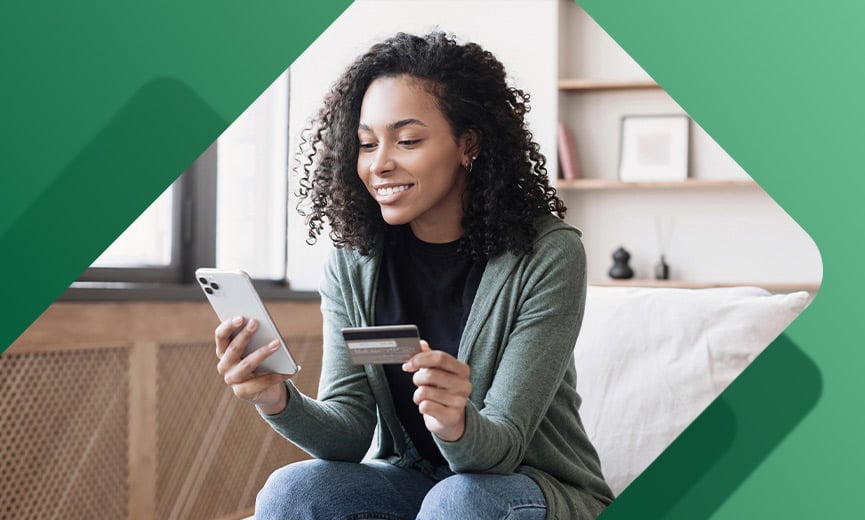
With Paychex, you can take credit card, mobile, and contactless payments in a setup that’s easy to run and follow. Customers get the payment options they want, and you get a system that keeps everything moving.
Tags