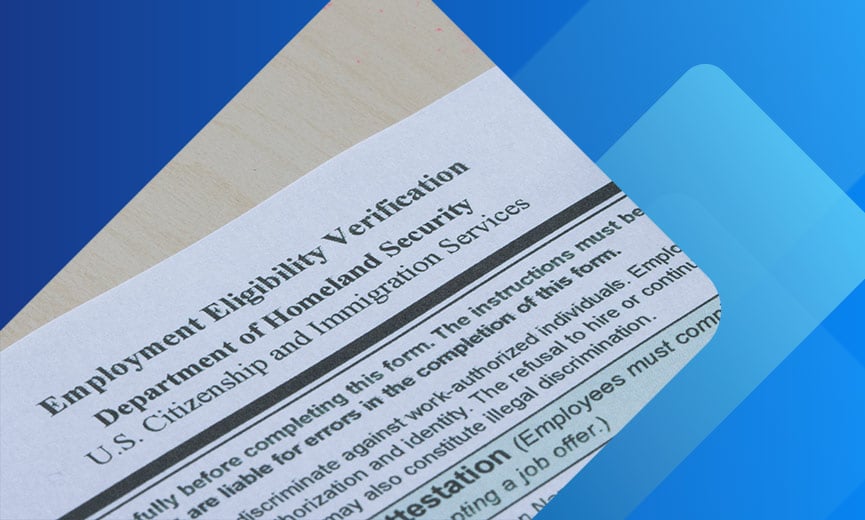


Form I-9 Employer Requirements and How To Stay Compliant
- 6 min. Read
- Last Updated: 11/02/2026

Table of Contents
Form I-9 is one of the first documents you complete with every new hire, and one of the easiest to get wrong. A missing birth date or an unchecked box can feel like a minor slip, but it can now lead to a fine.
In March and August 2026, U.S. Immigration and Customs Enforcement (ICE) updated its Form I-9 inspection fact sheet. Many errors that employers once had time to fix are now substantive violations, which means fines with no grace period to correct them.
This guide covers what Form I-9 requires, who completes it, which documents are acceptable, and how long to keep it. You will also learn how E-Verify fits in, how to handle rehires, and how to run a self-audit. Whether you are onboarding your first employee or your fiftieth, use it to spot gaps before an audit notice arrives.
What Is Form I-9 Used For?
Form I-9 is used to verify the identity and work authorization of individuals hired to work in the U.S. This step is often called I-9 verification. It is one of several legal requirements for hiring employees. Federal law requires employers to hire only individuals who are legally permitted to work in the U.S., including:
- U.S. citizens
- Noncitizen nationals
- Lawful permanent residents
- Aliens authorized to work in the United States
To comply, employers must inspect the documentation a new hire presents and confirm identity and employment authorization. Form I-9 is a record of that inspection. Businesses must complete and retain it for each employee.
Where To Get Form I-9
Form I-9 and associated instructions are available from the U.S. Citizenship and Immigration Services (USCIS) agency within the Department of Homeland Security.
- Download the current Form I-9 and instructions from the USCIS website. The page also offers a Spanish version. Employers outside Puerto Rico must complete the English-language form and may use the Spanish version only as a translation tool.
- The instructions link to the Handbook for Employers (M-274), USCIS's compliance guide.
- The current edition is dated 01/20/25 and expires 05/31/2027. Check the edition date on the form before you use it.
Who Must Complete Form I-9?
All employers in the U.S. are responsible for ensuring that all employees hired after November 6, 1986 complete a Form I-9, regardless of citizenship status. Both the employee and the employer have a part in completing it.
- By signing this form and providing acceptable documentation (as noted on the Form I-9 Lists of Acceptable Documents), an employee confirms their identity and that they are authorized to be employed in the U.S. They present government-issued identification to the employer to prove their identity and eligibility to legally work in the U.S.
- After inspecting the acceptable documents, employers sign Form I-9, attesting to the fact that the documentation provided appears genuine, and they retain the completed form.
USCIS defines an “employer” as any person or entity that hires someone to perform labor or services in the U.S. for wages or other pay. Recruiters and referrers who charge a fee are covered only if they’re agricultural associations, agricultural employers, or farm labor contractors. An "employee" is defined as anyone who performs labor or services in the U.S. for an employer in return for wages or other remuneration.
Volunteers, unpaid interns, independent contractors, or those engaged in some types of casual domestic employment (such as babysitters) are not required to complete Form I-9. However, employers should ensure accurate classification of workers to avoid potential violations.
How Do You Fill Out Form I-9?
Form I-9 has two sections and two supplements. A newly hired employee and the employer complete their respective parts.
- Section 1 is to be completed by the employee, no later than their first day of work.
- Section 2 is completed by the employer or the employer's authorized representative within three business days of the employee's first day. For example, if a new hire starts on Monday, Section 2 is due by the end of Thursday.
- Supplement A is used when a preparer or translator helps the employee complete Section 1.
- Supplement B (formerly Section 3) is used for rehires and reverifications when the employer chooses not to complete a new Form I-9.
Employers must provide I-9 instructions on how to complete the form. For additional help and instructions, check out the employer handbook (M-274).
What Documents Are Needed To Complete Form I-9?
I-9 documents fall into three groups on the Lists of Acceptable Documents:
- List A: Documents that prove both identity and employment authorization, such as a U.S. passport, a permanent resident card, or a work permit.
- List B: Documents that prove identity only, such as a driver's license.
- List C: Documents that prove employment authorization only, such as an unrestricted Social Security card.
An employee presents either one List A document or one List B document plus one List C document.
For example, an employee might present a valid driver's license (List B) with an original Social Security card (List C), not a copy. The employee chooses which documents to present. Documents must be unexpired when you examine them, with limited exceptions described in the M-274.
Employers can’t require specific documents, such as a driver’s license and Social Security card, or refuse acceptable documents the employee presents. Doing so can be considered a discriminatory hiring practice.
The employer must examine these documents to determine whether they reasonably appear to be genuine and relate to the employee. If an employee's document(s) do not reasonably appear to be genuine or to relate to the employee, an employer must reject the document(s) and provide the employee with an opportunity to present other documents from the Lists of Acceptable Documents.
How To Handle Form I-9 for Rehires, Reverification, and Name Changes
Even if you have already completed a Form I-9 for an employee, you may need to update it or complete a new one when you rehire someone, reverify work authorization, or record a name change.
Rehires
If you rehire an employee within three years of the original Form I-9 date, you may rely on the earlier form and update Supplement B, or you may complete a new Form I-9. If you rehire after three years, a new Form I-9 is required. Note that a missing rehire date in Supplement B is now a substantive violation.
Reverification
Reverification is needed when a List A or List C document recorded in Section 2 is expiring. List B documents do not require reverification, and neither does the status of a U.S. citizen or lawful permanent resident. When you reverify, the employee may present any acceptable List A or List C document.
Name Changes and Record Keeping
You aren't required to update Form I-9 when a current employee changes their name, but you may record the new name in Supplement B. If you rehire someone whose name has changed, record the new name in Supplement B with the rehire date. Keep Supplement B with the original Form I-9 as part of the employee's complete I-9 record.
Form I-9 Storage and Retention
Keep each completed Form I-9 for as long as the employee works for your company.
After employment ends, the employer must retain the employee's completed Form I-9 (and copies of documentation if applicable) for either three years after the date of hire or one year after the date employment ended, whichever is later. This requirement applies even when a new hire decides to leave employment soon after beginning there. Additional guidance can be found on the USCIS website.
Completed Forms I-9 may be retained in paper or electronic format. Keep them stored in a single, dedicated location (and not mixed in with other personnel files), so you can produce them quickly if ICE requests them without exposing unrelated personnel information. Keeping them separate also helps keep citizenship and immigration details out of everyday personnel decisions, which reduces discrimination risk.
If you store Forms I-9 electronically, review the Department of Homeland Security electronic storage regulations to make sure your system meets them. Since the 2026 ICE update, gaps in an electronic system’s audit trails, electronic signatures, or security documentation count as substantive violations.
How Does E-Verify Work With Form I-9?
E-Verify is a web-based federal system that checks the information on an employee's completed Form I-9 against government records to confirm work eligibility. After the employee completes Section 1 and the employer completes Section 2, the employer enters the details into E-Verify no later than the third business day after the employee starts work, then follows the result.
Is E-Verify Required, and How Do You Enroll?
Form I-9 is mandatory for every employer. E-Verify is voluntary for most. It is required for certain federal contractors and for some employers under state law, so check the rules in each state where you hire.
If you use E-Verify, employees must provide a Social Security number in Section 1, which is otherwise optional. To enroll, register at e-verify.gov. Paychex onboarding solutions can help support the employee verification process.
Remote Document Examination
Employers enrolled in E-Verify and in good standing may use a DHS-authorized alternative procedure to examine documents remotely. The procedure includes a live video interaction with the employee, and you must keep copies of the documents. You also must check the alternative procedure box in Section 2 of the form (or in Supplement B for reverification). Since the 2026 ICE update, a missing check in the box is a substantive violation.
If you are not enrolled in E-Verify, you must examine the documents in person. When you can't meet a new hire yourself, you may designate an authorized representative (such as a local accountant, notary, business associate, or trusted colleague) to do it for you. You remain responsible for any errors your representative makes.
Form I-9 Audits and Penalties
Employers can face serious consequences for failing to obtain and retain a completed Form I-9 from each new hire. Even minor paperwork mistakes may lead to penalties.
The ICE Audit Process
ICE starts an I-9 audit by serving an employer with a Notice of Inspection (NOI). The NOI can cover Forms I-9 for current employees and for former employees still within the retention period. Employers may have as few as three business days to produce the forms.
ICE may also ask for supporting documentation, such as payroll records, a list of current employees, articles of incorporation, and business licenses.
The 2026 ICE Enforcement Change
On March 16, 2026, ICE released an updated fact sheet that changes how errors are classified. Technical or procedural failures used to come with a chance to correct: employers had at least 10 business days after notice to fix them before a fine. Substantive violations get no correction period, so employers can be fined right away.
Compared with earlier ICE guidance, errors now listed as substantive include:
- A missing date of birth in Section 1
- An undated Section 1
- A missing first day of employment in Section 2
- Missing List A, B, or C document details in Section 2, even if you kept a copy of the document
- Missing preparer or translator information in Supplement A
- A missing rehire date in Supplement B
- Use of the Spanish-language form outside Puerto Rico
- Remote examination missteps, such as skipping the alternative procedure box or using the process without active E-Verify participation
- Electronic Form I-9 system gaps involving audit trails, electronic signatures, or security documentation
Some errors remain technical, such as completing the form on an outdated edition. Employers generally have at least 10 business days to fix those, but a technical failure left uncorrected becomes a substantive violation.
Paper forms may carry the most exposure, because nothing stops a person from skipping a field. Many electronic systems can require completion of each field before a form is submitted. Either way, the update shows what ICE expects: a form that is complete and correct the first time.
Fine Ranges and Calculation
Civil penalties for I-9 paperwork violations range from $288 to $2,861 per form. The base amount depends on the number of violations. ICE then weighs factors such as good faith, seriousness, and whether the violation is a first, second, or repeat offense. Penalties increase with subsequent offenses and are adjusted annually for inflation. Fines for "knowingly hiring and continuing to employ" violations are steeper.
Because fines are assessed per form, they add up quickly. For a 20-person business, errors on 10 forms could mean $2,880 to $28,610 in paperwork fines alone. That is why good faith matters: errors you find, fix, and document on your own can count in your favor.
Serious or repeated violations can also lead to forfeitures and debarment from federal contracts.
How To Run a Form I-9 Self-Audit
A self-audit is the best way to find errors before ICE does. Once ICE serves a Notice of Inspection, you lose the chance to correct substantive errors on your own terms. Work through the steps below, and follow USCIS guidance on correcting forms.
- Set the scope. Review all of your Forms I-9, or a random sample chosen without regard to citizenship or national origin. Auditing only certain employees can create discrimination risk.
- Work in order. Start with current employees, then review former employees still within the retention period. If an employee has left and can’t correct their section, attach a note explaining the error and keep the form with your audit records.
- Check every field. Compare each form against the substantive errors listed above. Confirm you used a valid edition of the form and completed Section 2 within three business days.
- Correct errors the right way. Only the employee may correct Section 1. You correct Section 2 and Supplement B. Draw a single line through the error, write the correct information, and add initials and the date. Never erase, use correction fluid, or backdate. If a section has many errors, complete that section on a new form and attach it to the original.
- Document what you changed. Attach a signed and dated note to each corrected form explaining what you fixed and why. Corrections won’t erase liability, but they show good faith and can reduce penalties.
- Know when to get help. If you find widespread problems, or you are unsure how to fix an error, talk with an employment attorney before making changes.
Form I-9 FAQs
-
Can I Ask a Candidate To Complete Form I-9 Before Making a Job Offer?
Can I Ask a Candidate To Complete Form I-9 Before Making a Job Offer?
No. Form I-9 is completed only after a person accepts a job offer. Asking candidates to fill it out earlier can expose you to discrimination claims.
-
Do I Need To Make Copies of the Documents Employees Present?
Do I Need To Make Copies of the Documents Employees Present?
Usually not. Copying is optional unless you use the remote examination procedure, which requires it, or E-Verify photo matching. If you choose to copy documents, do it for every employee, not just some, and keep the copies with the Form I-9.
-
What Happens if I’m Missing Forms I-9?
What Happens if I’m Missing Forms I-9?
Without a completed Form I-9, you can’t show that you verified work eligibility. Late or missing forms are substantive violations, which can lead to immediate fines. If you find a missing form, complete it now without backdating, and attach a note explaining why it was completed late.
-
What Should I Do if I Receive a Notice of Inspection?
What Should I Do if I Receive a Notice of Inspection?
Note the deadline, which can be as short as three business days, and gather the Forms I-9 and any supporting records ICE requested. Do not backdate or alter existing forms in response to the notice. Consider contacting an employment attorney right away.
-
What Is the Difference Between Form I-9 and Form W-9?
What Is the Difference Between Form I-9 and Form W-9?
Form I-9 establishes that an employee is eligible to work in the U.S. It also verifies identity, using the acceptable documents the employee provides. Form W-9 is an IRS tax form that independent contractors and other non-employees fill out at a business’s request. Learn more about what a W-9 form covers. If the worker is an employee, you need a Form I-9.
How Paychex Can Help With Form I-9 Compliance
Paychex employee onboarding software is built to streamline Form I-9 completion, document tracking, and retention, so your new hire process stays consistent and your records stay organized. See how it fits with our hiring services, including applicant tracking.
And if you want a second set of eyes before an audit notice arrives, Paychex HR consulting supports audit readiness. Backed by more than 50 years of HR and compliance experience, an HR consultant can review your current hiring procedures, help you find gaps, and offer guidance as part of your broader HR compliance strategy.
For a deeper look at which Form I-9 mistakes now carry the most risk, watch our on-demand webinar on the ICE audit updates.
Form I-9 compliance comes down to a consistent process, and you don’t have to build it alone. Follow updates on the USCIS website.
Tags